
Create a SendGrid account for LeadJabber
Short answer
LeadJabber sends through your own Twilio SendGrid account. Sign up at sendgrid.com with Start for free, verify your phone number, then upgrade the Email API to the Pro plan, which is the first plan that includes a dedicated IP address. When your dedicated IP address appears under Settings, IP Addresses, turn on Use Automated IP warmup.
Why SendGrid and why the Pro plan
LeadJabber does not send email from your mailbox. It sends through a professional email gateway on a dedicated IP address, which protects the reputation of your domain at high volumes. A dedicated IP is included in SendGrid’s Pro plan and above, so lower plans will not work with LeadJabber.
SendGrid sometimes rejects sign-ups with a business email address. If that happens, sign up with a personal address such as Gmail instead. The account still works for sending from your business domain.
Steps
-
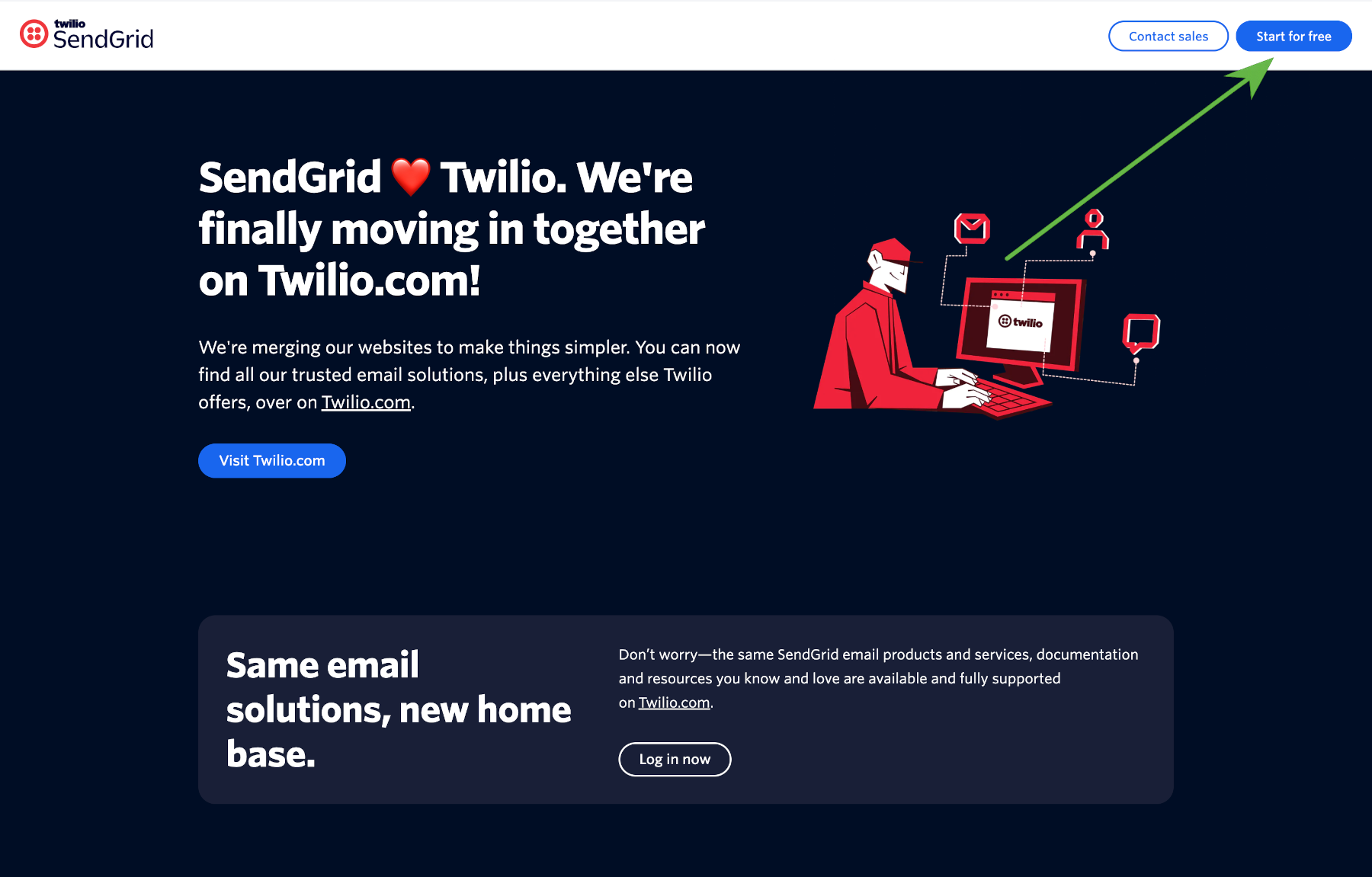
Go to sendgrid.com and click Start for free. Do not choose Visit Twilio.com, as signing up through Twilio takes longer.
-
Fill in your details and create the account.

-
Verify your phone number by SMS or voice call.

-
Save the recovery code you are shown in a safe place. You need it if you lose access to the account.

-
You are taken to the SendGrid dashboard. Click Upgrade.

-
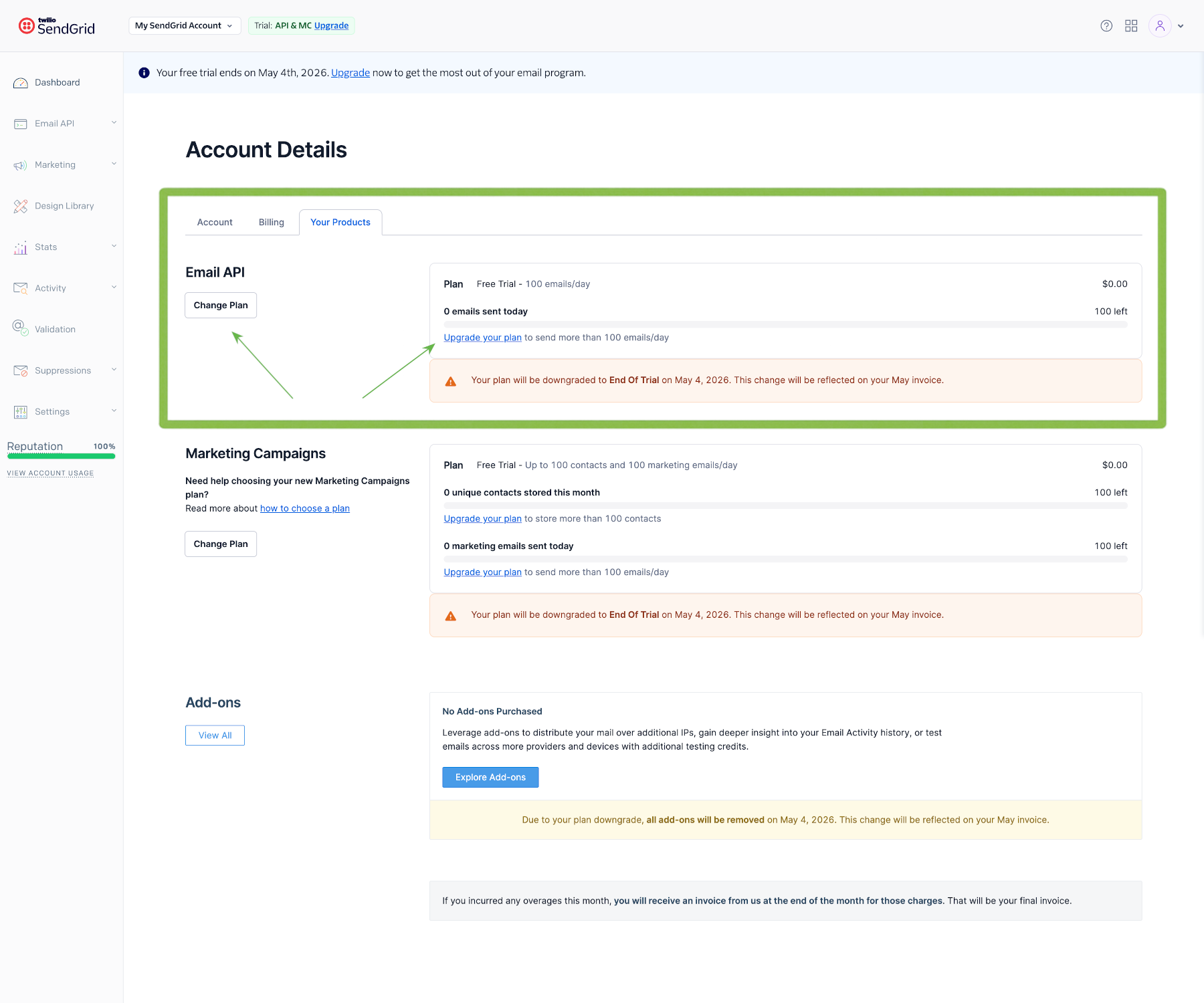
Under Email API, click Change Plan or Upgrade your plan.
-
Choose the Pro plan and complete the upgrade.

Turn on automated IP warm-up
A new dedicated IP address must be warmed up so that inbox providers learn to trust it. SendGrid does this for you when you turn on automated IP warm-up. You can then start sending from day one, and SendGrid controls how much the new IP address sends during the first weeks.
-
In SendGrid, open Settings and select IP Addresses. Your dedicated IP address is listed here once SendGrid has assigned it. If the list is empty, check again later.
-
Click the action menu next to your dedicated IP address. This opens Edit Your Dedicated IP Address.
-
Select Use Automated IP warmup.
-
Save your changes.
Read more in Why LeadJabber sends through an email gateway instead of your mailbox.
Next step
With a Pro account in place, create an API key in SendGrid so LeadJabber can send on your behalf.
When to contact support
Contact us if you are unsure which plan or volume fits your outreach. Email support@leadjabber.com and tell us roughly how many emails you plan to send per month.
Did this article solve your problem?